Download Telugu Fonts
You can download telugu fonts at the following locations.
Bapu Font
Pothana/Vemana Font
Lohit Font
Write in Telugu
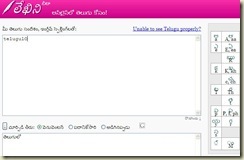
There are lot of tools available on the web to type in Telugu.
Some of them are listed below.
You can find more resources at the following link
You can find more resources at the following link http://wiki.etelugu.org/Unicode_Editors
Download Telugu Fonts,& Indian Language Translater
Baraha was developed with an intention to provide a free software to enable and encourage Indians use their native languages on computers. Baraha can be effectively used for creating documents, sending emails and creating websites. Baraha supports Kannada, Devanagari, Tamil, Telugu, Malayalam, Gujarati, Gurumukhi, Bengali, and Oriya scripts. With an average 20,000 downloads/month, millions of users are using Baraha for creating content in Indian languages. Feel free to distribute Baraha to others. Download Download Baraha 8.0 (What's New) Baraha package consists of Baraha, BarahaDirect, BarahaPad, FontConvert, BarahaConvert and BarahaSort programs. This package includes TrueType fonts for various Indian languages. System requirements: Windows 95, Windows 98, Windows NT, Windows 2000, Windows XP, Windows 2003, or later. (Note: BarahaPad requires Windows 2000 or later with Indian languages enabled.) If you want Baraha 8.0 program on floppy diskettes, click here. Baraha TrueType Fonts released under GPL.
Download me Click here below links
Enabling Indian languages in Windows
जननी जन्मभूमिश्च स्वर्गादपि गरीयसी
ஜநநீ ஜந்மபூமிஶ்ச ஸ்வர்காதபி கரீயஸீ
జననీ జన్మభూమిశ్చ స్వర్గాదపి గరీయసీ
ജനനീ ജന്മഭൂമിശ്ച സ്വര്ഗാദപി ഗരീയസീ
જનની જન્મભૂમિશ્ચ સ્વર્ગાદપિ ગરીયસી
ਜਨਨੀ ਜਨ੍ਮਭੂਮਿਸ਼੍ਚ ਸ੍ਵਰ੍ਗਾਦਪਿ ਗਰੀਯਸੀ
জননী জন্মভূমিশ্চ স্ৱর্গাদপি গরীযসী
ଜନନୀ ଜନ୍ମଭୂମିଶ୍ଚ ସ୍ଵର୍ଗାଦପି ଗରୀଯସୀ
If the above Indian language text is not readable on your browser, follow the instructions below to enable Indian languages in Windows XP. (Instructions for other versions of Windows operating systems may slightly vary.)


